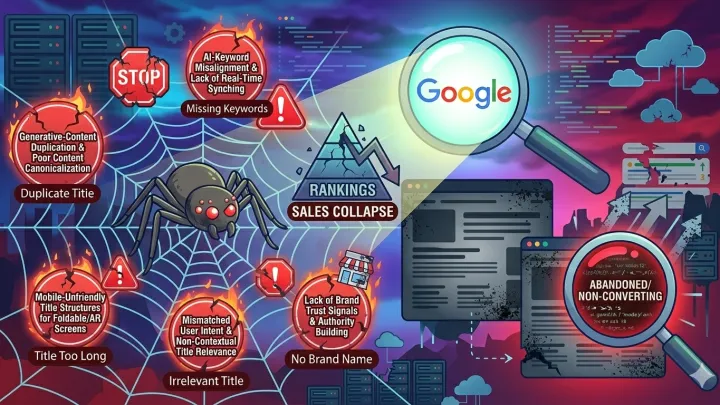

In 2026, if your e-commerce store is slow, you’re not just losing customers—you’re literally paying them to go to your competitor. Seriously.
I once had someone complain: “My store ranks on page one, but sales are zero.” I checked the site… it took 8 seconds to load on mobile! I told him straight: “You’re not selling products—you’re selling customer patience. And that’s run out.”
Speed isn’t just a dry technical metric. It’s your first impression, your first promise, and your first test of credibility. In this article, I’ll share the exact steps I’ve applied myself—not theoretical course content, but real solutions that rescued stores from collapse.
Start with hosting… and don’t dodge it
I swear to you, 70% of speed issues stem from here. I’ve seen stores spend thousands on SEO tools and image optimization… while running on $10/month shared hosting!
By the way, don’t waste time compressing images or enabling caching if your hosting is weak. It’s like trying to fix a jet engine with chewing gum.
From experience, mid-sized stores need at least managed VPS or e-commerce-optimized hosting (like Emarchy or optimized WooCommerce hosting). If you’re on a tight budget, look for providers supporting LiteSpeed + LSCache—the difference is night and day.
If you’re using platforms other than Emarchy, ensure you’re on the right plan. Basic plans on some platforms impose performance limits under traffic load.
Images: your biggest enemy… and strongest ally
Once, I audited a fashion store and found 47 images on the homepage—each over 3 MB! That means customers downloaded 150 MB before even seeing the “Buy Now” button.
The fix? Three words: compress, lazy-load, modern format.
- Use WebP instead of JPEG or PNG. File sizes drop up to 60% with no noticeable quality loss.
- Enable Lazy Loading: images load only when users scroll to them.
- Don’t upload a 4000px image just to display it at 300px! Resize at the source.
As for compression tools: avoid random free ones. Use ShortPixel or Imagify—they’re reliable and auto-support WebP.
Caching: the secret of fast stores
Imagine every new visitor forces your server to rebuild the page from scratch: query the database, load templates, merge plugins… that’s madness!
Caching saves a ready-made copy of your page and serves it instantly to new visitors. Result? Loads in under two seconds.
In one store, conversion rate was 1.1%. After enabling Redis Caching + Object Cache Pro, load time dropped from 4.2s to 0.9s, and conversions jumped to 2.7% within three weeks.
Practical tip: If you’re on WordPress/WooCommerce, don’t use more than one caching plugin. Conflicts between them cause worse issues than slowness itself.
Kill excess plugins… mercilessly
I know a store running 63 plugins—including ones for “weather,” “auto-translate,” and “animation effects.” Each adds an HTTP request, and every request = delay.
Ask yourself honestly: Does this plugin increase sales? If the answer is “no” or “I don’t know,” delete it immediately.
Better to consolidate functionality. For example, you don’t need separate plugins for SEO, Schema, and security. Choose comprehensive, trusted tools (like Rank Math or Yoast with built-in security features).
Remember: even if a plugin is “lightweight,” 20 light plugins may be better than 5 heavy ones—but 5 is always better than 20!
Use a CDN… even if your store is local
Initially, I thought CDNs (Content Delivery Networks) were only for global stores. I was wrong.
Even if 90% of your customers are in Saudi Arabia, using Cloudflare or BunnyCDN speeds up image and script delivery because they’re served from the nearest network node—not a server in the U.S.
In a baby products store, after enabling Cloudflare with proper performance settings (Brotli Compression, Auto Minify), global load time dropped by 40%.
Best part? Most free Cloudflare plans are sufficient for small-to-mid stores.
Shorten the customer journey: fewer clicks = more sales
Speed isn’t just about tech—it’s about user experience design. If a customer needs five clicks to see a price or add to cart, they’re gone—even if your site loads in 0.5 seconds!
In one project, we changed the “View Product” button to “Add to Cart” directly on the category page. Result? Sales rose 18% by eliminating a single step.
Monitor user behavior with tools like Hotjar. See where they pause, backtrack, or exit. Often, the issue isn’t technical speed—it’s complexity.
Measure—don’t guess
Don’t assume your site is fast. Test it.
Use Google PageSpeed Insights, but don’t treat its score as absolute truth. Focus on practical metrics: LCP (Largest Contentful Paint), INP (Interaction to Next Paint), and CLS (Cumulative Layout Shift).
Most importantly: test on a real mobile device over 4G—not a desktop on fiber internet. Because 80% of your customers will open your store on mobile… over average-speed networks.
Conclusion: Speed = Respect
Every second you save sends a message: “Your time matters to me.” Every millisecond you ignore sends the opposite: “I’m not willing to make an effort for you.”
In 2026, the fastest store isn’t the most technically advanced—it’s the one that respects its customers most. And that’s exactly what builds trust, creates loyalty, and scales sales—without spending a single ad dollar.
Start today. Even with one step. Because the customer who waits… never comes back.